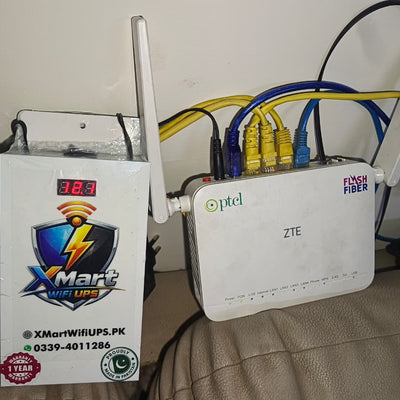
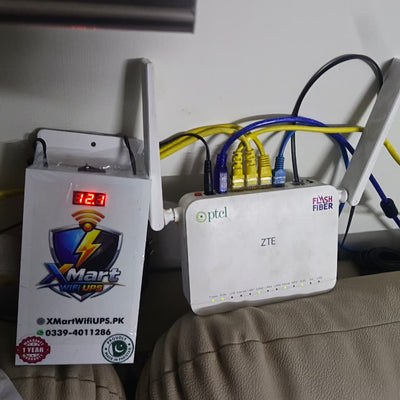
Click to zoom


6 people are viewing this right now
XMart UPS for WiFi Cameras | Up to 4+ Hours Backup
Product Description
XMart UPS for WiFi Cameras
5V USB Output • Up To 4+ Hours Backup • Plug & Use
Keep your WiFi security camera running during load shedding and power outages. Just plug your camera's USB cable into this UPS and it stays powered — automatically. No complicated wiring, no setup. Your home stays watched even when the lights go out.
🔌 Simple USB Connection
This UPS provides 5V output via USB port. Simply plug your WiFi camera's USB cable into the UPS — that's it. When electricity goes out, backup starts automatically.
⏱️ Need More Backup?
The standard unit comes with 2 cells (4+ hours). Want double the backup or even more? Contact our support team before ordering and we will customize the cell count to match your exact backup requirement.
Works with most 5V USB WiFi cameras out of the box.
Contact our support to order a custom unit with more cells. Double the cells = double the backup. We'll build it to your exact requirement.
Key Features
🔋 2 × 18650 Lithium Cells
Two 2600mAh cells — upgradeable via custom order for longer backup.
🔌 5V USB Output
Standard USB port — plug in your camera's USB cable directly.
📹 Works With Any USB WiFi Camera
Compatible with all 5V USB-powered WiFi security cameras.
⚡ Automatic Switching
Instantly switches to battery mode — no recording gaps.
🛡 Built-In Protection
Overcharge, overload and short-circuit protection included.
🇵🇰 Made In Pakistan
Built and tested for local power conditions.
Technical Specifications
| Specification | Details |
|---|---|
| Model | XMart UPS for WiFi Cameras |
| Designed For | 5V USB-Powered WiFi Security Cameras |
| Output | 5V DC (USB Port) |
| Battery Type | 18650 Lithium Cells |
| Battery Capacity (Standard) | 2 × 2600mAh (3.7V) |
| Backup Time (Standard) | Up To 4+ Hours* |
| Custom Backup | Contact support to add more cells for longer backup |
| Charger & Protection | Included (Plug & Use) |
| Warranty | 1 Year Warranty |

Setup In 3 Simple Steps
Plug the UPS into the wall socket for charging.
Connect your WiFi camera's USB cable into the UPS USB port.
Done! Power fails → camera stays on automatically.
🎯 Perfect For
- Indoor WiFi Security Cameras
- Baby Monitor Cameras
- Pet Monitoring Cameras
- Shop & Office Surveillance Cameras
- Any 5V USB-Powered WiFi Camera
- Load Shedding Areas

Frequently Asked Questions
Which cameras does this work with?
Any WiFi security camera that is powered through a USB cable (5V). This includes most indoor WiFi cameras, baby monitors and pet cameras from brands like TP-Link Tapo, Mi, IMOU, Ezviz and others.
How do I connect it?
Simply plug your WiFi camera's USB cable into the UPS USB port and plug the UPS into the wall socket. That is the entire setup — plug and use.
How long does the backup last?
The standard unit with 2 cells provides 4+ hours of backup. Actual time depends on the camera's power consumption and battery health.
Can I get more than 4 hours of backup?
Yes. Contact our support team on WhatsApp (0339-4011286) before placing your order and let us know how much backup you need. We will add extra cells to your unit — more cells means proportionally longer backup.
Does it switch automatically when electricity goes out?
Yes. Switching is fully automatic and happens within milliseconds, so your camera does not lose power or stop recording during a power outage.
Is it safe for my camera?
Yes. Built-in protection guards against overcharge, overload and short circuits, delivering stable 5V power safely to your camera.
Can I use this for my WiFi router too?
No. This UPS outputs 5V via USB and is designed for WiFi cameras only. For WiFi routers (which need 9V or 12V), please check our XP Mini, XP Lite, XP Boost, XP Turbo or XP Pro models.
What warranty do I get?
This UPS comes with a 1 year warranty. Damage caused by power fluctuations or misuse is not covered.
Your Camera Never Stops Watching
Safe • 5V USB • Plug & Use • Customizable Backup
XMart UPS for WiFi Cameras — uninterrupted security, even during load shedding.
* Backup time may vary depending on camera power consumption, battery health and usage conditions. Contact support for custom cell configurations.
boht he kamal ka wifi router UPS hai jb se lagwaya hai life sakoon main ho gayi hai. Light aye ya jae ye kabi bhi band nahi hota.